A field guide to the CrazyGames build
What actually responds
The client prints four key letters in its HUD and nothing else: no key list, no settings page for bindings. This page records what each one did when we pressed it, and what did nothing at all.
The four badges
The HUD prints key letters next to the things they belong to. That is the whole of the in-game help.
| Badge | Where it sits | What it belongs to | What we saw when pressed |
|---|---|---|---|
F | top bar, left of SKIP TUTORIAL | the tutorial skip | nothing visible; the objective card stayed |
Tab | left column, beside C | the second icon in the column | nothing visible |
C | left column, beside Tab | the third icon in the column | nothing visible |
Q | left column, under the box icon | the deliveries panel | the DELIVERIES panel opened |
Only Q produced a screen. We pressed each of the other three once, at the till,
with a live objective on the board, and the frame did not change.
The two icons that answer
- Gear (top-left of the game area, not the portal) opens the
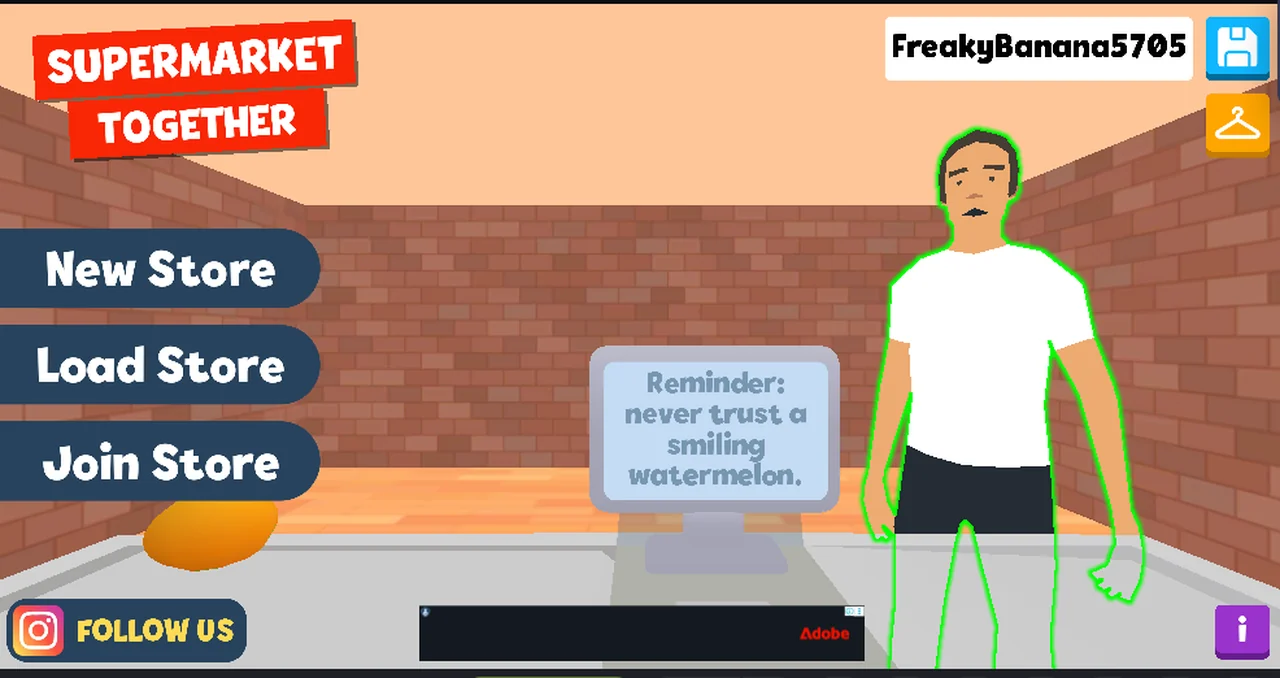
STOREpanel: store name,STORE CODE,STORE LINK,PERMISSIONS,LEAVE. - Speech bubble (next to the gear) opens a text input along the bottom of the screen — the frame on this page is that input, drawn over the menu.
We did not type anything into it, and we did not press send. So we can say the input opens; we cannot say what it delivers to.
The mouse
Every interaction in this build that we have confirmed is a click on an object in the room, not a menu item:
| Click target | Result |
|---|---|
| an item on the belt | it rings up; the monitor prints name, price and a running total |
| the card reader that appears when the belt is empty | CARD PAYMENT with the amount and a keypad |
| the counter area, away from the items | SHIFT RESULTS |
Movement
Holding W for two seconds changed nothing. We measured it rather than trusting
the eye: of 1,279,940 pixels in the frame, 64,206 changed, and every changed pixel
sat inside the advertisement slots beside the canvas. The store view did not move.
That is consistent with the till being a fixed station at LVL 1, and it is why
this site has no map, no back-room page and no walking guide.
What we saw but cannot explain
On the menu screen after leaving a store, the figure behind the counter was drawn with a green outline (the frame on this page shows it). We have no explanation for the outline and we have not seen it inside a store, so it stays a note rather than a claim.
Not tested
- typing into the chat input and sending it
Fon a fresh profile, where the objective card is the only thing on screenTabandCwhile standing anywhere other than the tillEsc,Shift,Ctrland the function keys — we have never pressed them- gamepad, and the on-screen touch controls on a phone
Last checked against the client: 2026-11-06 · client web build 2026-11-06 · portal last updated December 2025